Oculon vs BI tools
Turn dashboards into decisive financial models. BI tools are extremely valuable for cross-functional reporting, visualisation and exploring business data. Oculon works with your BI stack, connecting that data to the financial model (its drivers, assumptions, forecasts and scenarios) so finance can understand what changed, why it changed and what to change next.
How Oculon differs from BI
Both help you explore the business. The difference is what the analysis is built around.
Question
BI tools
Oculon
What is the analysis built around?
Business data and reporting models designed to analyse performance across functions
The financial model and plan, including drivers, assumptions, forecasts and scenarios
What happens when a number moves?
Drill into dimensions, filters and underlying records to investigate
Trace the movement through its financial drivers and understand the root cause
How does it connect to the plan?
Planning data can be visualised, while the planning logic usually lives in another model or system
Reporting stays connected to the models, targets, forecasts and scenarios finance uses to plan
Can I test what the change means?
Further modelling typically happens in a spreadsheet, planning tool or separate workflow
Change assumptions, test scenarios and see the impact on the plan in the same financial environment
What is it primarily built for?
Cross-functional reporting, visualisation and operational analytics
Financial analysis, planning and decision-making
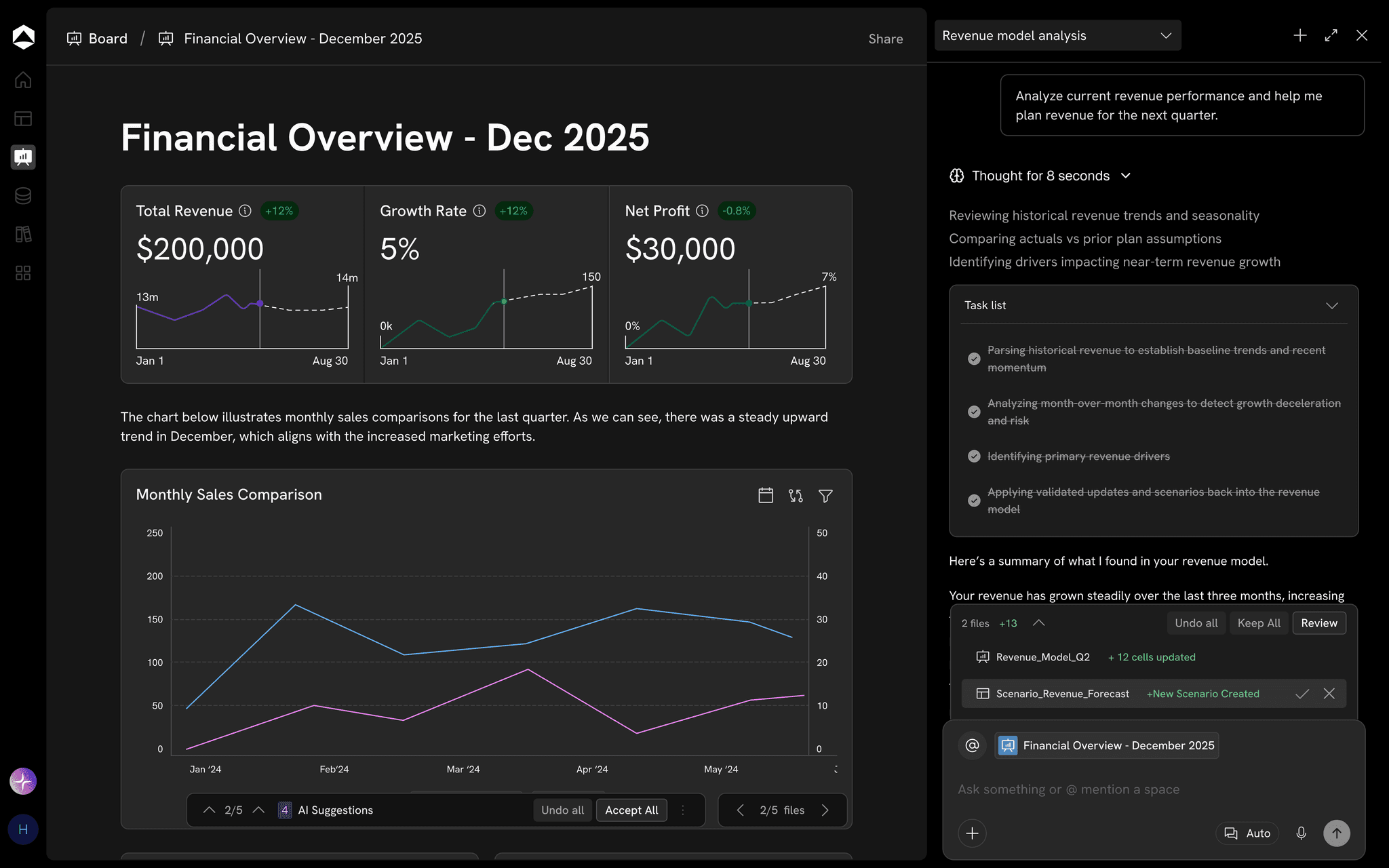
Oculon dashboards connect directly to underlying models and databases, with filters, selectors, targets and drill-down into contributing information.
A change on the dashboard is only the start of the analysis.
Seeing what moved is useful. Finance still needs to understand why it moved, what it changes in the plan and what decision follows.
Change
Driver
Financial impact
Decision
How your BI stack works with Oculon
Keep the BI tools your organisation already relies on. Oculon connects to them in both directions.
01
Into Oculon
Bring BI data into the model
Connect Oculon to your BI stack so the data behind company dashboards feeds the financial model.
02
Back to BI
Show the plan in your dashboards
Power BI, Tableau and the rest of your BI stack can read Oculon models, forecasts and scenarios, so plan sits alongside actuals.
In Oculon
Understand what the change means
When a number moves, finance traces it through its drivers, tests scenarios and decides what changes next.
BI helps you explore the business through the data. Oculon helps finance understand that data through the financial model.
Questions about Oculon and BI.
No. BI tools are valuable for company-wide reporting, operational analytics and visualisation, and they connect to Oculon in both directions: BI data can feed Oculon models, and your BI stack can read Oculon models, forecasts and scenarios. Oculon is designed for finance workflows where reporting needs to stay connected to financial models, forecasts, scenarios and decisions.
Can I drill down in Oculon?
How is Oculon different from a financial dashboard in a BI tool?
How does Oculon identify what drove a variance?
How is this different from a dashboard with an AI summary?
Can Oculon surface important changes without me checking dashboards?
Can teams outside finance access Oculon reporting?
Can we use Oculon alongside our existing BI stack?
Oculon vs BI tools
Turn dashboards into decisive financial models. BI tools are extremely valuable for cross-functional reporting, visualisation and exploring business data. Oculon works with your BI stack, connecting that data to the financial model (its drivers, assumptions, forecasts and scenarios) so finance can understand what changed, why it changed and what to change next.
How Oculon differs from BI
Both help you explore the business. The difference is what the analysis is built around.
Question
BI tools
Oculon
What is the analysis built around?
Business data and reporting models designed to analyse performance across functions
The financial model and plan, including drivers, assumptions, forecasts and scenarios
What happens when a number moves?
Drill into dimensions, filters and underlying records to investigate
Trace the movement through its financial drivers and understand the root cause
How does it connect to the plan?
Planning data can be visualised, while the planning logic usually lives in another model or system
Reporting stays connected to the models, targets, forecasts and scenarios finance uses to plan
Can I test what the change means?
Further modelling typically happens in a spreadsheet, planning tool or separate workflow
Change assumptions, test scenarios and see the impact on the plan in the same financial environment
What is it primarily built for?
Cross-functional reporting, visualisation and operational analytics
Financial analysis, planning and decision-making
Oculon dashboards connect directly to underlying models and databases, with filters, selectors, targets and drill-down into contributing information.
A change on the dashboard is only the start of the analysis.
Seeing what moved is useful. Finance still needs to understand why it moved, what it changes in the plan and what decision follows.
Change
Driver
Financial impact
Decision
How your BI stack works with Oculon
Keep the BI tools your organisation already relies on. Oculon connects to them in both directions.
01
Into Oculon
Bring BI data into the model
Connect Oculon to your BI stack so the data behind company dashboards feeds the financial model.
02
Back to BI
Show the plan in your dashboards
Power BI, Tableau and the rest of your BI stack can read Oculon models, forecasts and scenarios, so plan sits alongside actuals.
In Oculon
Understand what the change means
When a number moves, finance traces it through its drivers, tests scenarios and decides what changes next.
BI helps you explore the business through the data. Oculon helps finance understand that data through the financial model.
Questions about Oculon and BI.
No. BI tools are valuable for company-wide reporting, operational analytics and visualisation, and they connect to Oculon in both directions: BI data can feed Oculon models, and your BI stack can read Oculon models, forecasts and scenarios. Oculon is designed for finance workflows where reporting needs to stay connected to financial models, forecasts, scenarios and decisions.
Can I drill down in Oculon?
How is Oculon different from a financial dashboard in a BI tool?
How does Oculon identify what drove a variance?
How is this different from a dashboard with an AI summary?
Can Oculon surface important changes without me checking dashboards?
Can teams outside finance access Oculon reporting?
Can we use Oculon alongside our existing BI stack?
Oculon vs BI tools
Turn dashboards into decisive financial models. BI tools are extremely valuable for cross-functional reporting, visualisation and exploring business data. Oculon works with your BI stack, connecting that data to the financial model (its drivers, assumptions, forecasts and scenarios) so finance can understand what changed, why it changed and what to change next.
How Oculon differs from BI
Both help you explore the business. The difference is what the analysis is built around.
What is the analysis built around?
Business data and reporting models designed to analyse performance across functions
The financial model and plan, including drivers, assumptions, forecasts and scenarios
What happens when a number moves?
Drill into dimensions, filters and underlying records to investigate
Trace the movement through its financial drivers and understand the root cause
How does it connect to the plan?
Planning data can be visualised, while the planning logic usually lives in another model or system
Reporting stays connected to the models, targets, forecasts and scenarios finance uses to plan
Can I test what the change means?
Further modelling typically happens in a spreadsheet, planning tool or separate workflow
Change assumptions, test scenarios and see the impact on the plan in the same financial environment
What is it primarily built for?
Cross-functional reporting, visualisation and operational analytics
Financial analysis, planning and decision-making
Oculon dashboards connect directly to underlying models and databases, with filters, selectors, targets and drill-down into contributing information.
A change on the dashboard is only the start of the analysis.
Seeing what moved is useful. Finance still needs to understand why it moved, what it changes in the plan and what decision follows.
Change
Driver
Financial impact
Decision
How your BI stack works with Oculon
Keep the BI tools your organisation already relies on. Oculon connects to them in both directions.
01
Into Oculon
Bring BI data into the model
Connect Oculon to your BI stack so the data behind company dashboards feeds the financial model.
02
Back to BI
Show the plan in your dashboards
Power BI, Tableau and the rest of your BI stack can read Oculon models, forecasts and scenarios, so plan sits alongside actuals.
In Oculon
Understand what the change means
When a number moves, finance traces it through its drivers, tests scenarios and decides what changes next.
BI helps you explore the business through the data. Oculon helps finance understand that data through the financial model.
Questions about Oculon and BI.
No. BI tools are valuable for company-wide reporting, operational analytics and visualisation, and they connect to Oculon in both directions: BI data can feed Oculon models, and your BI stack can read Oculon models, forecasts and scenarios. Oculon is designed for finance workflows where reporting needs to stay connected to financial models, forecasts, scenarios and decisions.
Can I drill down in Oculon?
How is Oculon different from a financial dashboard in a BI tool?
How does Oculon identify what drove a variance?
How is this different from a dashboard with an AI summary?
Can Oculon surface important changes without me checking dashboards?
Can teams outside finance access Oculon reporting?
Can we use Oculon alongside our existing BI stack?