Build financial models that stay flexible as your business grows.

Work with named variables, reusable dimensions and connected formulas instead of rebuilding spreadsheets every time a driver, department or scenario changes.

A model should keep up with the business, not wait for someone to rebuild it.

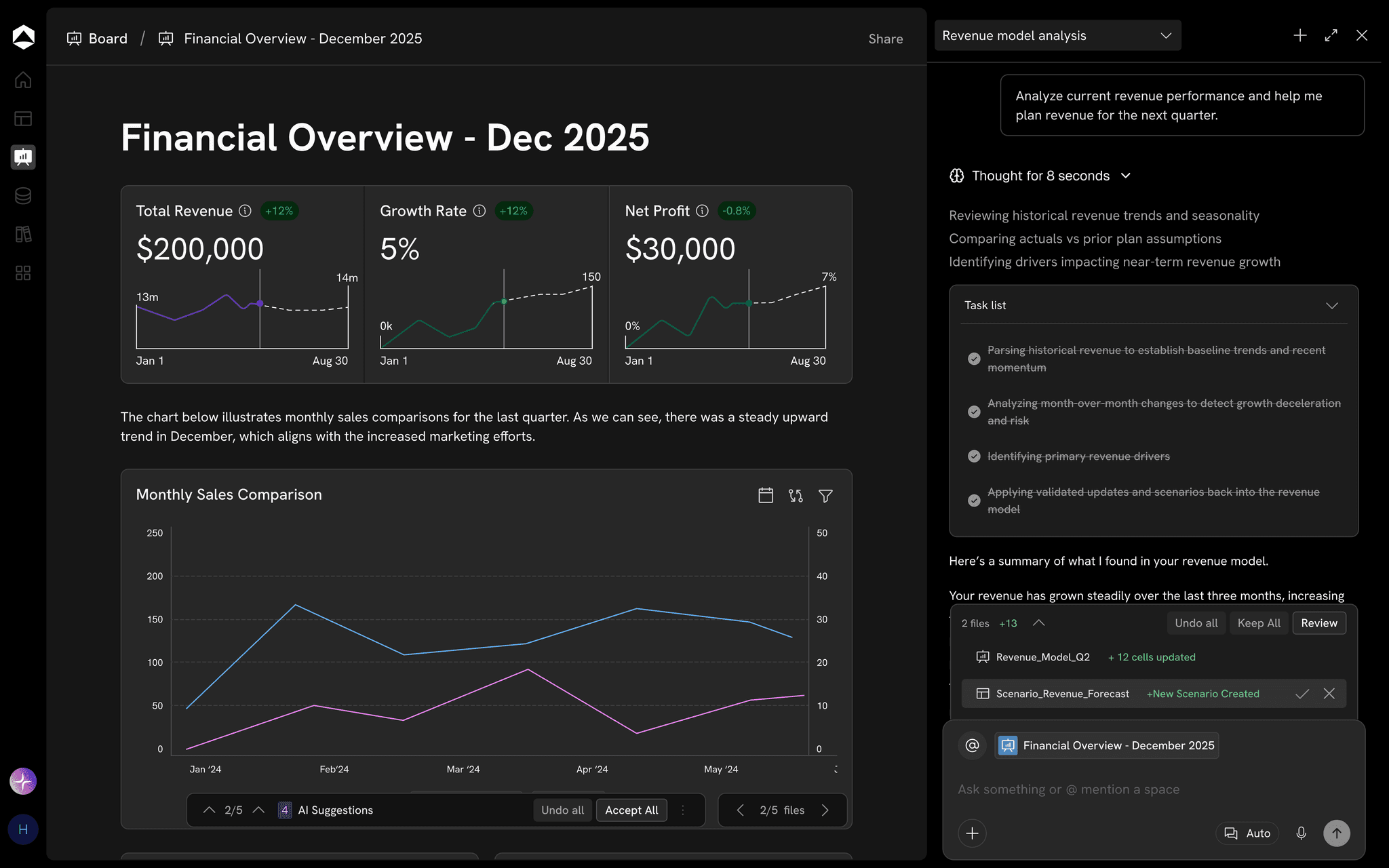
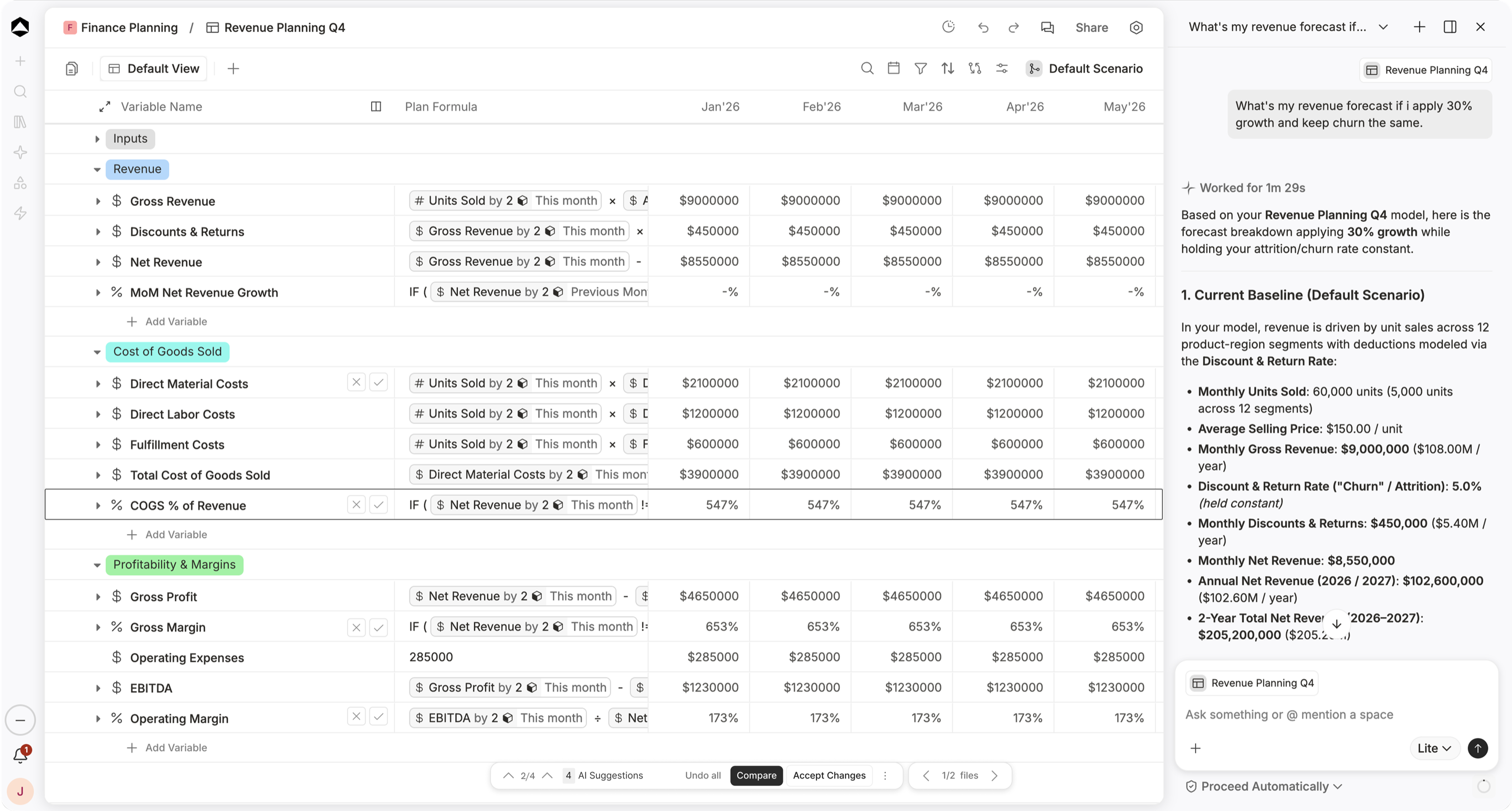
An Oculon revenue planning model: named variables with formulas in business terms, months across the grid, and the agent working a forecast beside it.

Revenue Planning Q4 in Oculon. Variables carry their formulas; the agent works the forecast beside the model.

HOW IT WORKS

Building and changing
financial models.

Finance should be able to change an assumption, inspect its effect and keep going without reconstructing the logic around it.

01 / Shape

Shape the model
Around how your business works

Model revenue by product and region, or payroll by department, with dimensions you can reuse across the rest of your planning.

02 / Drivers

Change a driver
See everything that follows

Adjust price per seat or conversion rate, then follow the effect through bookings, revenue and gross margin in the same model.

03 / Start fast

Start from proven logic
A library of prebuilt metrics

  • 100+ prebuilt metrics, reusable components and model patterns
  • Custom formulas for the complex cases
  • Search and keyboard navigation built for big models
04 / Live data

Live inputs
Every value traced to its records

Bring relevant ERP, CRM and billing data into the same planning structure, with a visible link back to the underlying records.

05 / AI in the model

AI in the model
It already knows your drivers

Explain a formula, investigate a revenue movement or propose a scenario with the relevant variables already available in context.

  • Explains any formula in plain language
  • Builds and refactors model logic
  • Updates assumptions and tests the impact
  • Every proposed change waits for your review
06 / Together

Build together
In one controlled workspace

Finance and business owners can discuss assumptions, review changes and see who changed what without circulating competing files.

IN PRACTICE

Model every decision effortlessly.

SStrategic Finance/ARR Plan FY26PMEdited just nowShare
SearchBaseCompareView
VariableTrendFormulaAprMayJun
Input Drivers
#New logos$ Pipeline×% Win rate49525559
%Win rate% Win rate22%22%22%24%
$Avg contract value# Price book$18.4K$18.8K$18.8K
%Gross churn% Churn rate1.1%1.0%1.0%
ARR Movement
$New ARRby ◆ 3# New logos×$ ACV$902K$978K$1.03M
$Expansion ARR% Expansion rate$240K$252K$261K
$Churned ARR% Gross churn−$281K−$262K−$266K
$Ending ARR$ Opening ARR+$ Net new$27.0M$27.9M$28.9M$29.4M
ARR Planning · Connect acquisition, expansion, churn, and pricing to see what drives recurring revenue.Illustrative example · sample data

FAQs

Can I build custom formulas?

Yes. Oculon supports formulas built from reusable variables, assumptions, dimensions, and time-series data.

Can I model across multiple dimensions?

Yes. Models can work across dimensions such as product, region, department, channel, or entity, including hierarchical relationships between them.

Can AI help me build the model?

Yes. AI can explain formulas, build or refactor model logic, and modify assumptions while keeping the work inside the context of your financial model.

Can I see how the model has changed?

Yes. Revision history and checkpoints show changes to values, formulas, and assumptions, with the ability to restore an earlier state.

Page preview · This destination is not built in the local prototype yet.